You can use a VPN on Apple TV if you have an Apple TV HD or Apple TV 4K running tvOS 17 or later and choose a provider with a native tvOS app. The usual setup is to install the app from the Apple App Store, sign in, approve the VPN configuration, and connect to a nearby server.
Before paying, identify your Apple TV model, check its software version under Settings, and confirm that the provider supports that model. Also check the subscription’s full upfront price, renewal amount, refund terms, and payment channel at checkout.
Key takeaways
- Update a compatible Apple TV to tvOS 17 or later.
- Choose a provider whose own documentation confirms an Apple TV app.
- Install the app, sign in, allow the VPN configuration, and connect to a nearby server.
- A VPN changes the IP address services see, but it does not provide anonymity.
- Streaming services can still block VPN connections or show proxy errors.
Can You Use a VPN on Apple TV?
Yes, but the Apple TV must support a current tvOS app. Apple announced tvOS 17 on September 18, 2023, as a free update for Apple TV HD and Apple TV 4K. Current provider apps identify tvOS 17 as the minimum version for native Apple TV support.

On Apple TV, open Settings, select System, then Software Updates. The Apple TV HD and Apple TV 4K families can run current tvOS VPN apps when updated. First-generation, second-generation, and third-generation Apple TV models cannot install those current apps.
Apple does not sell a consumer VPN service for Apple TV. Apple supports third-party VPN apps and managed VPN configurations, including IKEv2, IPsec, L2TP, and other connection types, but most home users will use an app from the Apple App Store.
A VPN creates an encrypted connection between Apple TV and a VPN server. It can hide traffic from the local network and internet service provider and changes the IP address that websites and apps see. The VPN provider becomes the service handling that connection, so its privacy policy and data practices matter. The Electronic Frontier Foundation also notes that a VPN does not provide full anonymity. Accounts, cookies, tracking pixels, and device fingerprints can still identify you.
The practical verdict is simple. A compatible Apple TV with tvOS 17 or later is a good fit for a native app. An older model needs a router-based VPN, a supported virtual VPN router, or a Smart DNS option.
Which VPN Apps Support tvOS?
ExpressVPN, Surfshark, Proton VPN, NordVPN, and Private Internet Access publish Apple TV apps for compatible devices running tvOS 17 or later. The right choice depends on the device, payment terms, renewal price, and whether the provider’s Apple TV app supports the features you need.
ExpressVPN requires tvOS 17 or later. Its Apple TV setup uses the App Store, followed by sign-in through a QR code, email, or restored purchase. The app asks you to agree and continue, approve the VPN configuration, and press the power button to connect. ExpressVPN documents Automatic, OpenVPN, Lightway, and WireGuard protocol choices on Apple TV.
Surfshark supports Apple TV HD and Apple TV 4K devices running tvOS 17 or later. You install the app, sign in, and connect to a preferred server. Surfshark states that one subscription allows unlimited simultaneous connections, which fits a household using several devices, although Apple TV remains subject to the app and service limits that apply to the platform.
Proton VPN requires tvOS 17 or later and a paid Proton VPN subscription for Apple TV. After installing the app, enter the code shown on the television at protonvpn.com/appletv, then choose a country or the fastest country. Proton Free is a separate free tier. It costs $0 per month and supports one device at a time, but Proton does not document the free tier as compatible with its Apple TV app. Prices checked October 28, 2026.
NordVPN supports tvOS from tvOS 17. Install the app from the Apple App Store, sign in, and connect. NordVPN says Deloitte Audit Lithuania assessed its IT systems, supporting infrastructure, and no-logs claims in late 2024 under ISAE 3000. The stated scope included standard VPN, Double VPN, Onion Over VPN, obfuscated, and P2P servers. NordVPN published that account on February 11, 2025. NordVPN also says Cure53 assessed its applications, APIs, VPN servers, and supporting infrastructure during May, June, and October 2025, with the published account dated December 10, 2025.
Private Internet Access, usually called PIA, offers a dedicated app for compatible Apple TV devices running tvOS 17 or later. The app is named “VPN by Private Internet Access.” You can sign in with a QR code, account details, or a restored Apple purchase, approve the VPN configuration, and connect to the recommended or selected location. PIA says Apple TV connections use IKEv2.
The choice fits different needs. Surfshark fits a household that values unlimited simultaneous connections. Proton VPN fits someone who wants a paid Apple TV app alongside a separate free tier for other uses. NordVPN fits a buyer who wants its documented assurance reports and a direct tvOS path. ExpressVPN fits someone who wants several documented protocol choices. PIA fits someone who wants a native app plus router and Smart DNS alternatives.
What Does It Cost and What Renews?
US prices in USD, checked October 28, 2026. Taxes may apply. Bonus months are extra time included with a paid plan, not additional paid months.
NordVPN, Surfshark, and ExpressVPN display 30-day money-back guarantees for the plans described above. Proton VPN also displays a 30-day money-back guarantee. A money-back window is different from a free tier and a free trial. A free tier costs nothing, while a free trial is a limited period that may require billing details and may depend on eligibility or the billing channel.
Before subscribing, confirm the full price and refund terms on PIA’s checkout page if PIA is your choice. For any provider, read the renewal amount shown at checkout and save the receipt. If a trial appears, confirm that you qualify and whether billing will run through the provider or Apple.
The payment channel changes the refund process. ExpressVPN says App Store purchases are not covered by its own 30-day money-back guarantee, so refund requests for those purchases go through Apple. Buying through a provider’s website can make the provider’s stated refund terms the relevant ones, but confirm the exact rule before paying.
How Do You Set Up a VPN App on Apple TV?
Start by checking the device and software. Open Settings, select System, then Software Updates. If the Apple TV supports tvOS 17 or later, install any available update and restart the device if Apple requests it.

Next, confirm compatibility with the provider before subscribing. The provider should identify Apple TV HD or Apple TV 4K support and list tvOS 17 or later. This check matters because a subscription can work on phones and computers while the provider’s Apple TV app still requires a particular tvOS version.
Use this sequence:
- Open the App Store on Apple TV and search for the provider’s official app.
- Select the app, choose Get, and wait for installation.
- Open the app and sign in using the method it provides.
- Approve the VPN configuration when Apple TV asks for permission.
- Select a nearby server or the provider’s recommended location.
- Connect, then open the streaming services and apps you actually use.
The sign-in path varies. ExpressVPN documents QR code, email, and restored purchase options. Proton VPN displays a code that you enter at protonvpn.com/appletv. PIA documents QR code, account details, and restored Apple purchase sign-in. NordVPN and Surfshark document installing the app, signing in, and connecting.
A connected state normally appears inside the VPN app as a connected label, location, or status indicator. The exact screen depends on the provider. Check that the app remains connected after opening another app, then test playback. A connection to a nearby server usually gives the shortest route available from your home connection, but the VPN can still add latency because traffic takes an extra route and is encrypted.
The Apple TV app may include fewer settings than the provider’s phone or computer apps. If you need advanced controls such as split tunneling or a kill switch, check the provider’s tvOS documentation rather than assuming the feature is present.
For related device setup, use How to Set Up a VPN on a Mac or How to Set Up a VPN on Windows 11 for the computers you use with the same subscription.
What Should You Do When the VPN Will Not Connect?
If the VPN will not connect, first confirm that Apple TV can reach the internet with the VPN turned off. A VPN cannot fix a broken Wi-Fi or Ethernet connection. Then check Settings, System, and Software Updates for a tvOS update.
NordVPN recommends updating tvOS, restarting Apple TV, reinstalling the app, and checking the internet connection. Those steps also provide a sensible sequence for other providers:
- Turn the VPN off and confirm ordinary internet access.
- Update tvOS and the VPN app.
- Restart Apple TV.
- Delete and reinstall the VPN app.
- Sign in again and approve the VPN configuration.
- Try another server if the app connects but playback fails.
If the app installs but a streaming service shows a VPN or proxy error, turn the VPN off temporarily and test the service again. Netflix says a VPN or proxy can cause its proxy error and advises turning the VPN off to resolve it.
If the App Store does not show the app, check the Apple TV model and tvOS version first. An older model cannot install a current native app. If the app is available but will not download, check free storage, restart the Apple TV, and confirm that the Apple Account can download apps.
For broader connection problems, use VPN Not Connecting? Fixes for Phone, PC and Wi-Fi. If Netflix displays the proxy message, work through the Netflix proxy error fixes.
What Can Older Apple TV Models Use Instead?
Older Apple TV models cannot install current tvOS VPN apps. The usual alternative is a VPN-enabled router. The router makes the VPN connection for devices on that network, so the Apple TV can use the connection without running a VPN app itself. This can also cover other home devices, but it changes the router setup for everyone using that network.
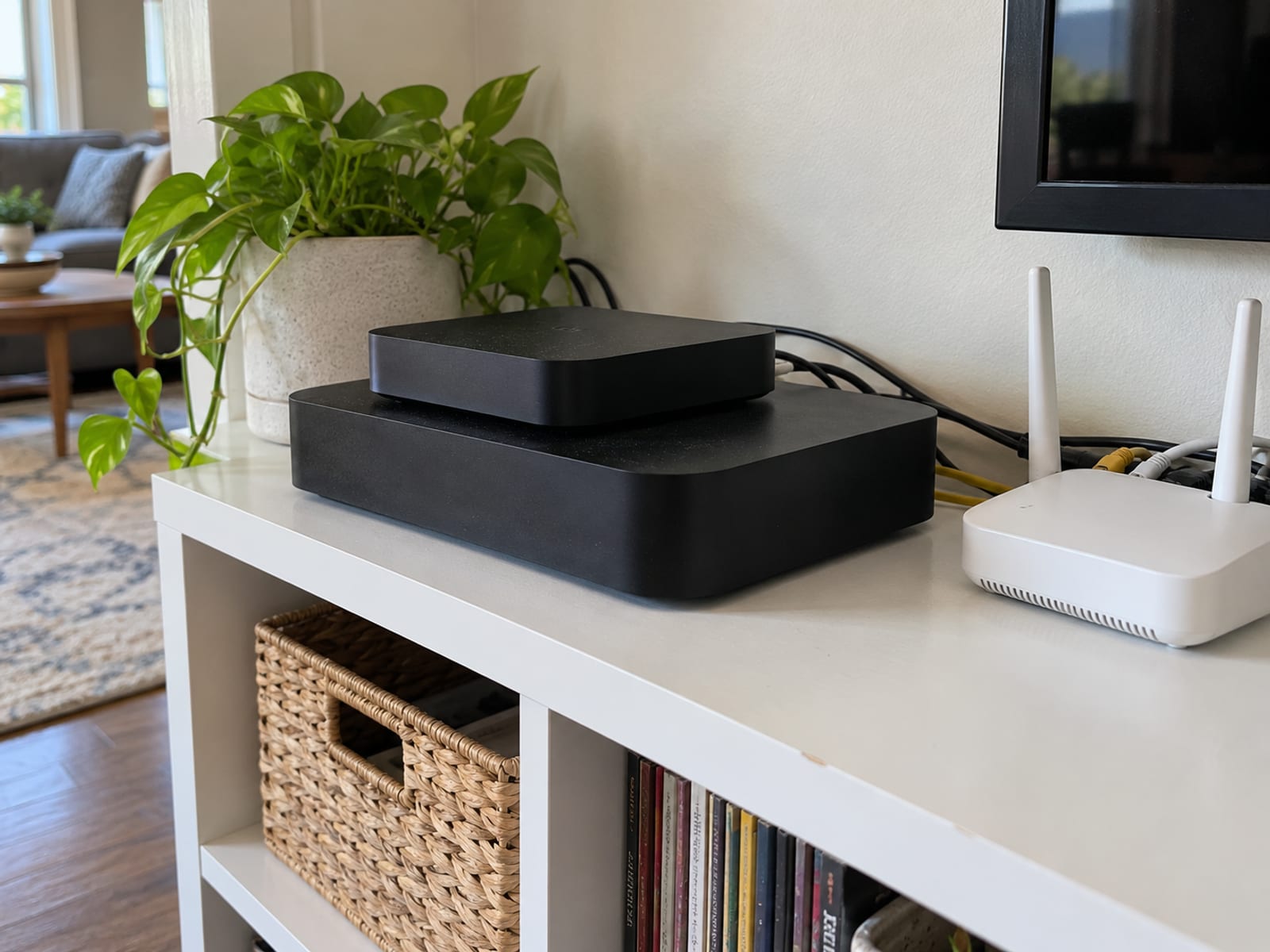
A supported virtual VPN router or computer-based shared connection can serve a similar purpose when the provider documents the configuration. The computer or router runs the VPN, and Apple TV connects through that shared network.
Smart DNS is another option. Providers may call it Smart DNS or use a name such as MediaStreamer. It can change DNS-based access for some streaming uses, but it is not equivalent to a VPN. Smart DNS does not provide the VPN’s encrypted connection or the same privacy and security protections.
ExpressVPN documents MediaStreamer and router alternatives for Apple TVs that cannot run tvOS 17. PIA documents Smart DNS and virtual VPN router alternatives. Before choosing one, confirm which streaming apps it supports and whether the provider requires a compatible router.
Use VPN on Your Router or Your Devices: Which Is Better when the decision is between protecting one Apple TV and routing several household devices through the VPN.
What Are the Limits, Streaming Errors, and Privacy Tradeoffs?
A VPN changes the connection path, not your identity. Websites and apps can still identify you through accounts, cookies, tracking pixels, device fingerprints, and other signals. The Electronic Frontier Foundation says a VPN moves trust from the local network or ISP to the VPN provider, which can see traffic routed through its service.

A VPN also does not guarantee access to every country’s catalog or every streaming service. Netflix says VPN or proxy traffic can trigger a proxy error and recommends turning the VPN off when that happens. A service may block a server’s IP address even when the VPN connection itself works.
Performance can change because traffic travels through an additional server and receives encryption. PIA says the extra route and encryption may add latency. A nearby server can reduce the distance involved, but it cannot guarantee the same speed as a direct connection.
A VPN on Apple TV protects the Apple TV connection. It does not automatically protect phones, laptops, game consoles, or other devices unless the VPN runs on the router. The tvOS app may also have fewer features than the provider’s desktop or mobile app.
The FTC advises reviewing a VPN app’s privacy policy, requested permissions, encryption practices, and data-sharing practices before installing it. A provider’s privacy policy is its statement about handling data. An audit is narrower. For example, Surfshark says Deloitte’s 2025 assurance assessment reviewed evidence, interviewed personnel, assessed standard, static, and multiport servers, and examined server configuration and privacy procedures. Surfshark published that account on June 16, 2025.
The verdict is conditional. A VPN fits Apple TV users who want an encrypted connection and a different IP address, and who accept possible speed changes and streaming blocks. It does not fit someone expecting anonymity, guaranteed catalog access, or automatic protection for every device.
What Legal and Terms-of-Service Rules Apply?
Using a VPN is not automatically unlawful in the United States. The activity carried out through the VPN still has to follow the law where you are and the terms of the services you use.
Apple’s Media Services terms require personal, noncommercial use, compliance with applicable laws, and no circumvention of security technology. A VPN does not grant permission to access content, services, or locations restricted by Apple, a streaming provider, or another service.
Streaming terms can also affect the result. Netflix says a VPN or proxy can cause an error and advises turning the VPN off when that error appears. The VPN provider’s subscription terms control billing, renewal, refunds, and account use. Those rules can differ when you pay through Apple’s App Store.
Keep the receipt, note the renewal date and amount, and confirm the refund route for the payment channel you chose. If the terms or local law are unclear, check the current service terms and obtain local legal advice.
Frequently asked questions
Use the answers below to settle the common setup and purchase questions before installing an app.
Can I add a VPN to Apple TV?
Yes, if the Apple TV is an Apple TV HD or Apple TV 4K running tvOS 17 or later and the provider offers a compatible tvOS app. Install the app from the Apple App Store, sign in, approve the VPN configuration, and connect to a server.
Does Apple have a built-in VPN?
Apple does not sell a consumer VPN service for Apple TV. Apple supports third-party VPN apps and managed VPN configurations, so most home users need a provider’s app or a VPN-enabled router.
Which VPN apps work on Apple TV?
ExpressVPN, Surfshark, Proton VPN, NordVPN, and Private Internet Access publish apps for compatible Apple TV devices running tvOS 17 or later. Confirm the model and software requirement with the provider before subscribing.
Can I use NordVPN on my Apple TV?
Yes. NordVPN supports tvOS from tvOS 17, and its app is installed from the Apple App Store. Sign in, approve the VPN configuration, and connect to a server.
Is there a free VPN for Apple TV?
Proton VPN has a free tier at $0 per month, but Proton requires a paid subscription for its Apple TV app. A free tier and a free trial are different, so confirm the exact Apple TV eligibility before starting either one. Prices checked October 28, 2026.
Why does my VPN not work on Apple TV?
Check the internet connection without the VPN, update tvOS and the app, restart Apple TV, reinstall the app, and try another server. If the app is missing from the App Store, the Apple TV model or tvOS version may not support the current app.
How can I put a VPN on an older Apple TV?
Use a VPN-enabled router, a provider-supported virtual VPN router, or Smart DNS if the provider documents it. Smart DNS can help with some streaming access, but it does not provide the encryption and privacy protections of a VPN.
What should I do if Netflix shows a VPN or proxy error?
Turn off the VPN and test Netflix again. Netflix says a VPN or proxy can cause the error, and its stated fix is to turn the VPN off.
Should I buy the subscription through Apple or the provider?
Compare the payment channel before paying. Refund and renewal rules can differ, and ExpressVPN says App Store purchases are handled through Apple rather than its own 30-day money-back guarantee.
What does a VPN protect on Apple TV?
A VPN encrypts the connection between Apple TV and the VPN server and changes the IP address services see. It does not make you anonymous, protect other devices automatically, or stop a streaming service from blocking VPN traffic.
Glossary
Find more VPN guides on Tunnel Verdict. Have a question about your own setup? Contact us and include your device and the VPN you use.