If Netflix shows “You seem to be using a VPN or proxy,” treat it as a connection-location problem first. Turn off any VPN, antivirus VPN, proxy, or privacy service, then open fast.com on the same Wi-Fi or wired network and compare the “Client” country with your actual location.
If the country is wrong, reset the device’s network settings and restore the modem or router’s default settings. If the country and IP address are correct, ask your internet service provider to verify the address, DNS server, and routing. Do not pay for a VPN to fix this message. Netflix’s own troubleshooting path starts with restoring the ordinary connection.
Key takeaways
- Check
fast.comon the same network and compare the “Client” country with your real location. - Turn off VPN, antivirus VPN, proxy, custom DNS, and network privacy services before reopening Netflix.
- Check the Netflix plan because Netflix says VPNs are unsupported with the ad-supported experience.
- Reset the device, then the router or modem, before asking the ISP to investigate the IP and DNS settings.
- A VPN changes the connection Netflix sees, but it does not guarantee another catalog or playback.
Netflix Proxy Error: What the Message Means and What to Do First
Netflix identifies error code E106 and the message “You seem to be using a VPN or proxy” as a problem with how the connection appears to be located. A VPN can route traffic through another network, while a proxy, custom DNS setting, shared ISP address, or managed network can produce a similar result. The message does not prove that you personally installed a VPN.
Start with the device and network that show the error. Open fast.com, wait for the test to stop, select “Show more info,” and compare the country beside “Client” with your actual location. If the country does not match, turn off the VPN or proxy and reopen Netflix.
Check antivirus software, browser extensions, phone privacy apps, device proxy settings, router settings, and any work, school, hotel, or public Wi-Fi controls. Some security products include a VPN that runs separately from a familiar VPN app. A shared Wi-Fi or ISP address can also be associated with another location or many customers.
If the country matches your location, reset the affected device’s network settings. If the error remains, restore the router or modem to its default settings. Keep the country and IP address shown by fast.com, then give those details to the ISP. Ask whether the connection uses the ISP’s DNS server and whether the assigned IP is associated with your home location.
The Netflix Fix Sequence: VPN, Plan, Network Settings, Router, and ISP
Netflix’s troubleshooting order moves from the quickest check to the network changes that affect more devices. Follow it in order so you know whether the problem belongs to an app, device, home network, or ISP address.
First, turn off every VPN or proxy service you can identify, including a VPN bundled with antivirus software. Also check browser extensions and operating system proxy settings. A VPN provider, device manufacturer, or antivirus provider can supply the exact instructions for your model or service.
Next, run fast.com on the same Wi-Fi or wired network. Select “Show more info” and compare the “Client” country and IP address with your actual location. If the country is wrong, leave the VPN or proxy off and reopen Netflix. If the country is right, continue with the network reset instead of buying another service.
Check the Netflix plan before changing anything else. Netflix says VPNs are not supported with its ad-supported experience. Netflix also says VPN viewing may show only titles with worldwide licensing, and VPNs are not supported for live events. A plan change is not a guaranteed fix, so check the Netflix Account page and payment terms before paying.
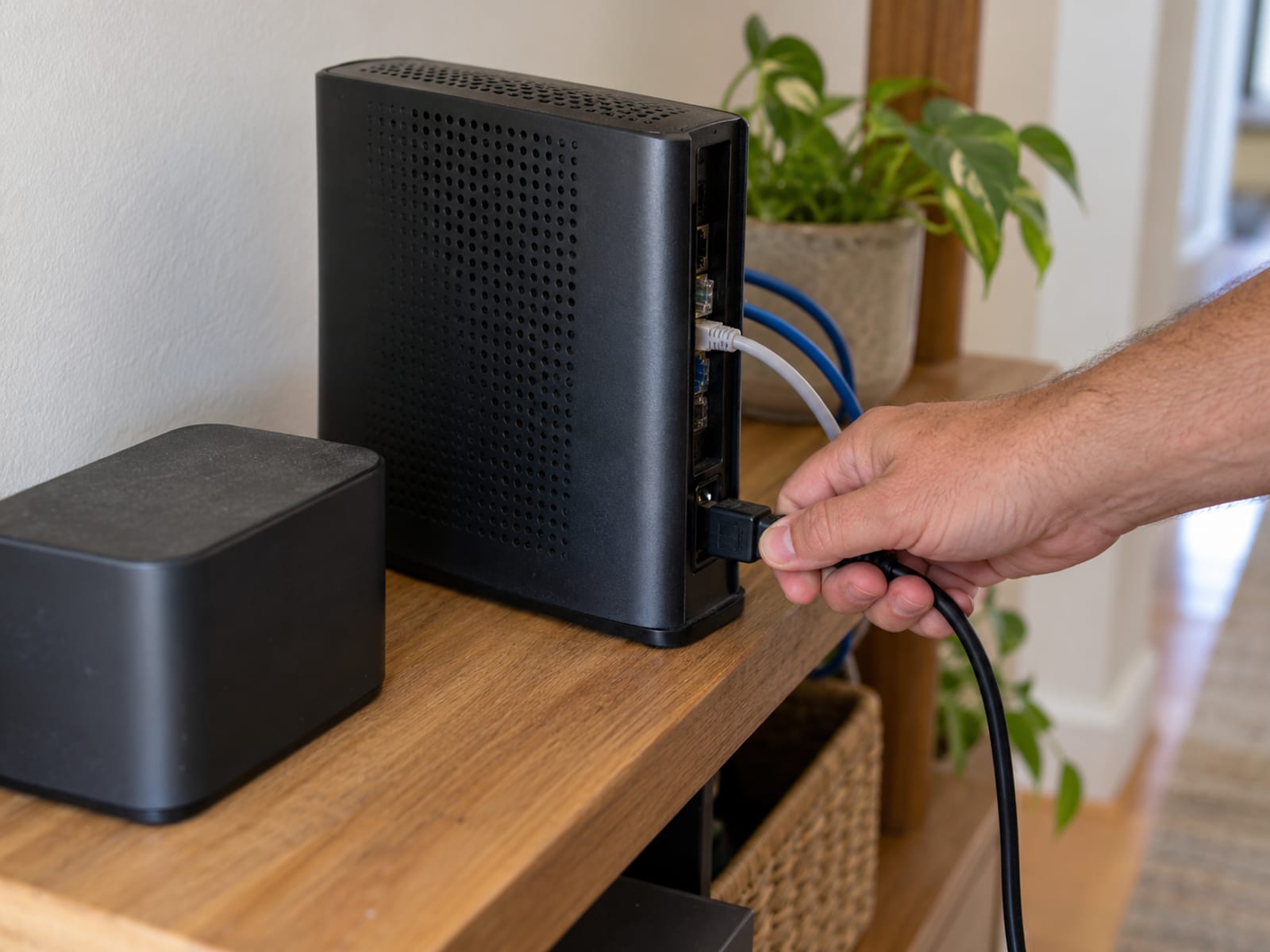
Reset the affected device’s network settings. This can remove a saved proxy, DNS configuration, or other network setting, but the exact path varies by device. Use the manufacturer’s instructions for the model. If the problem affects several devices, restore the modem or router’s default settings and reconnect the network.
Finally, contact the ISP with the country and IP address shown by fast.com. Ask the ISP to verify the public IP, DNS server, address family, and routing configuration. If the country and IP match your home connection, Netflix’s guidance is for your ISP to work directly with Netflix.
Why Netflix Can Show This Message When You Have No VPN
A VPN is only one possible explanation. Netflix is reacting to the apparent route and location of the connection, not necessarily to an app you knowingly installed. A proxy left in a browser, a custom DNS service, or an antivirus privacy feature can create the same appearance.
Shared addressing can also cause trouble. Cisco describes carrier-grade network address translation, or CGNAT, as a system where an ISP translates multiple customers’ private addresses to one shared public IPv4 address. IETF RFC 6269 explains that shared public addresses can reduce the precision of IP-based location and cause services that expect a unique source address to behave incorrectly.
A work, school, apartment, hotel, or public network may route traffic through a central connection. The network administrator may control the proxy, DNS, or routing settings. IPv6 can matter as well if the device uses a different address family or route from the one the ISP expects.
The useful question is not “Which VPN did I install?” It is “What country and IP does Netflix see?” Check fast.com, restore ordinary network settings, and ask the ISP to confirm the assigned address and DNS server. If the error is limited to one browser, inspect its proxy settings and extensions. If it affects the whole home, inspect the router and ISP connection.
What Changes on TVs, Phones, Tablets, Browsers, and Shared Wi-Fi
The fix depends on where the connection setting lives. On a smart TV or streaming device, inspect the device’s network settings first, then the router. A streaming device may also have a VPN or DNS app, depending on its operating system. Confirm the Fire OS or other platform version under Settings before following device-specific instructions. For Fire Stick setup questions, see How to Use a VPN on a Fire Stick.

On a phone or tablet, check installed VPN, antivirus, privacy, and DNS apps. A device-wide VPN affects Netflix and other apps, while a browser extension may affect only browser traffic. If the error appears on a phone, Do You Need a VPN on Your Phone can help separate a genuine privacy need from a Netflix connection problem.
In a computer browser, inspect proxy settings and extensions. Chrome, Edge, Firefox, Opera, and Safari are supported browsers subject to system requirements, but browser support does not remove router or ISP-level settings.
On shared Wi-Fi, the network administrator may need to act. Ask the hotel, school, employer, apartment network, or public Wi-Fi operator whether traffic uses a proxy or shared public IP. The person using Netflix may not be able to correct that setting locally.
Does Netflix Ban VPN Users or Just Limit Playback?
Netflix does not state that every VPN user receives an automatic account ban. Its Help Center describes a VPN or proxy message, limited catalog behavior, and unsupported experiences. Netflix’s Terms of Use separately allow Netflix to restrict or terminate service for violations of the terms or illegal or fraudulent use.

In practice, the immediate result is more likely to be a connection error or limited playback. Netflix says a VPN may restrict the viewer to titles with worldwide licensing, and the VPN may need to be turned off to see titles available in the viewer’s region. Netflix also says VPNs are unsupported for live events and the ad-supported experience.
That distinction matters. A message saying the connection appears to use a VPN or proxy is not the same as an account termination notice. It still means the connection may not work as expected. Use Netflix from the actual account and network location, and retain Netflix’s exact regional wording if you contact support.
What a VPN Can and Cannot Do for Netflix
A VPN encrypts the connection between the device and the VPN server and changes the IP address websites see. That can be useful on some networks, but it does not guarantee that Netflix will play a particular title or show the catalog associated with a selected country.
Netflix can limit viewing when the connection appears to come from another location. It says VPN use may show only titles with worldwide licensing, and it does not support VPNs for live events or the ad-supported experience. A VPN can also affect other apps, increase routing distance, or leave custom DNS and proxy settings behind after you think it is off.
A VPN does not make you anonymous. Accounts, cookies, device fingerprints, GPS data, tracking pixels, and other signals can still connect activity to a person. The VPN provider can see traffic passing through its service, and a corporate VPN administrator can see activity on the corporate network. A VPN works alongside software updates, account security, and phishing protection. It does not replace them.
Netflix’s Terms of Use state that HD requires at least 3.0 Mbps per stream, Full HD recommends at least 5.0 Mbps, and Ultra HD recommends at least 15.0 Mbps. Those are Netflix’s connection recommendations, not a promise that a VPN route will reach them.
For the connection, IP address, and privacy limits, read What Is a VPN and What Does It Do. A VPN fits a separate privacy or network need, not a guaranteed Netflix fix.
Should You Pay for a VPN or Change Your Netflix Region?
No, do not pay for a VPN to solve this Netflix message. Netflix’s documented solution is to disable VPN or proxy services, check the client country and IP, reset network settings, restore the router or modem, and contact the ISP. A replacement VPN may produce the same message or a limited catalog.
If you are considering a VPN for another reason, decide after the Netflix connection works normally. Check the actual device, network, provider terms, and current law in the relevant jurisdiction. A free tier, a free trial, and a money-back window are different things, and none should be assumed without checking the provider’s current terms directly.
Do not choose a provider from this fix. Before subscribing, check the provider’s U.S. plan, billing term, amount due upfront, effective monthly cost, bonus time if any, renewal price, cancellation terms, and refund window at checkout. Netflix subscription costs are separate, so check the Netflix Account page and payment provider’s terms before changing plans.
Changing the Netflix account country is different from changing an IP address. Netflix says the account country cannot be changed unless the account holder moves to a new country. If you moved, follow Netflix’s account and moving instructions. A VPN is not a supported promise for changing the account country or bypassing regional licensing.
Terms, Regional Licensing, and the Next Step
Netflix’s Terms of Use say viewers may access content primarily in the country where the account was established and where Netflix offers the selected plan and licenses the content. Catalogs vary by location and can change. The terms also prohibit interfering with or bypassing content protections and allow Netflix to restrict service for violations or illegal or fraudulent use.
For tonight, restore the normal connection and record the exact message, country, and IP address shown by fast.com. This week, ask the ISP to verify the public IP, DNS server, address family, and routing. If the location and IP are correct, ask the ISP to work with Netflix. If you need device-specific setup after the error is resolved, see How to Use a VPN on a PS5 or review Is Using a VPN Legal for the separate legal question.
Frequently asked questions
How do I fix Netflix proxy or unblocker?
Open fast.com on the same network, compare the “Client” country with your location, turn off VPN or proxy services, and reopen Netflix. Then reset the device network settings, restore the router or modem defaults, and contact the ISP with the displayed country and IP address.
Why does Netflix say I’m using a VPN or proxy?
Netflix says a VPN can make the device or network appear to connect from another location. A custom DNS service, shared ISP address, browser proxy, antivirus product, or managed network can create the same appearance.
Will Netflix ban me if I use a VPN?
Netflix does not say that every VPN user is automatically banned. Its Terms of Use allow restriction or termination for violations, illegal use, or fraudulent use, while its Help Center describes errors and limited playback for VPN connections.
How do I fix “you seem to be using a VPN or proxy”?
Turn off VPN and proxy services, including antivirus VPNs, then check the fast.com client country. Reset network settings, restore router defaults, and ask the ISP to verify the IP address and DNS server.
What does an unblocker or proxy mean?
A proxy is an intermediary service that sends a website request through another network. A VPN routes broader device traffic through a VPN server and normally encrypts the connection between the device and that server.
How do I unblock my Netflix?
Restore the ordinary connection by disabling VPN or proxy services, using the ISP’s intended DNS configuration, resetting network settings, and contacting the ISP or Netflix when the location is wrong. “Unblock” does not mean that a VPN guarantees another country’s catalog.
How do I fix proxy or VPN detected?
Run the fast.com check, compare the client country, disable the service, reset the device network, restore router defaults, and contact the ISP. A work, school, hotel, or public Wi-Fi administrator may need to correct the shared network.
How do I get around Netflix blocking my VPN?
Netflix does not guarantee that a VPN will work, and the documented option is to turn it off. A VPN may produce the proxy message, limit the catalog to worldwide titles, or fail with live events and the ad-supported experience.
Is Netflix now blocking VPNs?
Netflix says VPNs can cause the VPN or proxy message, limit the catalog to worldwide licensed titles, and fail with live events or the ad-supported experience. The practical result is that a VPN connection may be limited or rejected.
Can Netflix detect if you are using a VPN?
Netflix can identify that a connection appears to use a VPN or proxy because it can display the VPN message and compare the apparent client location with the expected location. That does not mean every connection showing the message has an intentionally installed VPN.
What is the difference between a proxy and a VPN?
Both place an intermediary between you and Netflix. A VPN normally routes broader device traffic through an encrypted connection to a VPN server, while a proxy may handle traffic for one application or connection.
How do I remove the Netflix proxy error?
Turn off the VPN or proxy, open fast.com on the same network and compare the country next to “Client” with your location. Restart the device’s network and your modem or router, and give your ISP the country and IP address shown.
Why does Netflix show “you seem to be using a VPN or proxy”?
Netflix explains that a VPN can make your device or network appear to connect from another location. A DNS setting, a shared IP address, or a public, workplace or school network can produce the same result.
How can I stop Netflix from detecting a VPN?
Netflix does not promise that any VPN works with its service. To get a normal connection back, turn off the VPN and reset your network settings; Netflix says VPNs are not supported with ad-supported plans or live events.
Why won’t Netflix let me use a VPN?
Netflix says a VPN can hide the region your connection comes from. With a VPN on, you may see only titles Netflix licenses worldwide, and Netflix does not support VPNs for live events or ad-supported plans.
How do I correct the proxy error?
Check your connection with fast.com, turn off the VPN, check your plan, reset your network and restart the router or modem. If the country or IP address does not match your home, ask your ISP to review the location and DNS server.
How do I remove the proxy block?
Turn off the VPN or proxy, use your ISP’s DNS settings where that applies and reset your network settings. If the message stays, ask your ISP or Netflix for help instead of buying another VPN.
How do I disable a VPN or proxy?
The steps depend on the device, the app, any antivirus software, the router and the network. Use the instructions from your VPN provider, device maker, antivirus, ISP or network administrator.
Can you change your Netflix region without a VPN?
Netflix says an account’s country cannot be changed unless the account holder moves to another country. If you have moved, follow Netflix’s steps to update the account; a VPN does not change your account country or catalog.
What does proxy mean on Netflix?
It means Netflix sees a connection that seems to pass through an intermediary service or shows a different location than expected. The message alone does not mean you installed a VPN.
Glossary
Find more VPN guides on Tunnel Verdict. Have a question about your own setup? Contact us and include your device and the VPN you use.