For a smart TV, Fire Stick, console, printer, or smart-home device that cannot run a VPN app, a router with a VPN client is usually the simplest fit. Start by identifying your exact router model and firmware, then look for OpenVPN Client or WireGuard Client support. If you need different devices to use different connections, ASUS VPN Fusion, Firewalla, UniFi, and supported TP-Link Deco systems provide useful routing controls.
The strongest published VPN throughput in this shortlist comes from the GL.iNet Flint 2, while the ASUS RT-AX88U Pro gives you clear per-device VPN choices through VPN Fusion. A router VPN can cover devices without apps, but it can slow traffic, complicate server changes, and cause problems for banking, streaming, gaming, or local services.
Key takeaways
- Check for VPN Client support, not only VPN Server support.
- Choose OpenVPN or WireGuard based on both the router and VPN provider.
- Use per-device or policy-based routing when only some devices need the VPN.
- Treat maker throughput figures as model specifications, not guaranteed internet speed.
- Confirm hardware price, supported firmware, subscription renewal, return terms, and billing channel before paying.
Start With The Devices You Need To Cover
A router VPN makes the most sense when the device you want to cover cannot install a normal VPN app. Smart TVs, streaming boxes, game consoles, printers, and some smart-home devices are common examples. The router connects to a commercial VPN server, then sends selected home traffic through that connection.

Before choosing hardware, write down which devices need the VPN and which should keep the ordinary connection. You may want a Fire Stick or Apple TV on the VPN, while leaving a work laptop, banking phone, printer, or local smart-home controller outside it. A router that sends every device through one tunnel can make those exceptions difficult.
Check the router's exact model number and firmware version. Search its manual or specifications for “VPN Client,” “OpenVPN Client,” or “WireGuard Client.” A listing for “VPN Server,” “remote VPN access,” or “OpenVPN server” usually describes incoming connections to your home network, not a connection from your router to a commercial VPN.
The VPN provider matters as well. Proton VPN supports router connections on all plans, including Proton Free, when the router supports OpenVPN or WireGuard. NordVPN says a router setup requires OpenVPN client support for a potential configuration and publishes instructions for ASUSWRT, ASUS Merlin, GL.iNet, TP-Link, OpenWrt, Ubiquiti, and other platforms. Surfshark supplies manual OpenVPN credentials and UDP or TCP configuration files.
If the device needs a separate location from the rest of the house, choose hardware with device rules or policy-based routing. If you mainly want broad Wi-Fi coverage, a mesh system may fit better than a wired security gateway.
Which Home Routers Actually Support A VPN Client
Support varies by exact model and firmware, so a product family name is not enough. ASUS, TP-Link, GL.iNet, Ubiquiti, and Firewalla all have documented options, but their controls and Wi-Fi designs differ.
The ASUS RT-AX88U Pro supports OpenVPN and WireGuard clients through VPN Fusion. ASUS lets you assign selected devices to VPN tunnels while leaving other devices on the ordinary connection. That makes it a practical stock-firmware choice when a TV or console needs the VPN but household services need the normal connection.
Supported TP-Link Deco models provide VPN Client mode. TP-Link says the user can select devices on the Deco network for a third-party VPN. The available protocols and controls vary by model and firmware. Selected TP-Link Archer models also support VPN Client with OpenVPN, WireGuard or both, so confirm the precise model before purchase.
The GL.iNet Flint 2 has OpenVPN and WireGuard clients pre-installed. Its 2025 datasheet lists maximum VPN throughput of up to 880 Mbps for OpenVPN with DCO and up to 900 Mbps for WireGuard. Those are hardware specifications under the maker's stated conditions. Your result can change with the VPN server, internet provider, distance, protocol settings, and other household traffic.
UniFi Next-Gen and Cloud Gateways support OpenVPN and WireGuard clients. Ubiquiti says traffic must be assigned to the VPN through a Traffic Route or Policy-Based Route. That can include routing all traffic from a virtual network, a particular device such as an Apple TV, or selected domains through a VPN client. UniFi gateways are network appliances, so check whether you also need a separate Wi-Fi access point.
Supported Firewalla boxes also provide third-party OpenVPN and WireGuard clients. Firewalla can direct any device or traffic type to a VPN connection through its Internet Outbound Policy. Firewalla publishes up to 120 Mbps OpenVPN and 500 Mbps WireGuard for Gold Plus, and up to 500 Mbps OpenVPN and 2 Gbps WireGuard for Gold Pro. These are wired security gateways rather than ordinary Wi-Fi routers.
Netgear's consumer VPN feature is primarily a VPN server for remote access. Its documentation says the router itself does not function as a VPN client to an external provider. If you are comparing Netgear with a router that supports commercial VPN configuration, check the exact feature name carefully.
Which Router Type Fits Your Speed, Mesh And Device Rules
Choose the GL.iNet Flint 2 when published VPN throughput is your main requirement and you are comfortable managing a separate router. Its stated figures are the clearest high-speed numbers in this shortlist, but they do not promise that your internet connection will reach those speeds through a VPN.
Choose the ASUS RT-AX88U Pro when you want a conventional home router with Wi-Fi and straightforward device assignment. VPN Fusion is useful when one console or streaming device needs the VPN while work devices, banking devices, or local equipment should stay outside it.
A supported TP-Link Deco system fits a home that needs mesh coverage and VPN Client controls in the same system. Mesh helps place Wi-Fi nodes around a larger home, but VPN features vary by exact Deco model and firmware. Confirm the supported protocols and device-selection rules for the model you intend to buy.
UniFi fits a household that already uses managed networks or wants VLAN and policy controls. It can route a device, virtual network, or domain through a VPN client, but the system may require separate Wi-Fi hardware and more network configuration.
Firewalla fits a reader who wants detailed outbound routing and network rules. Its published VPN figures are useful when matching hardware to an internet plan, although the box is a wired gateway rather than an all-in-one wireless router.
For any option, confirm the exact model price from the maker or an authorized seller before paying. Also confirm the current maker-published VPN throughput, supported firmware, whether Wi-Fi is included, and whether the router needs a separate access point. Treat the maker's figures as model specifications, not guaranteed internet performance.
What A Router VPN Costs Now And What Renews Later
Hardware prices are model-specific in the available specifications, so confirm the exact model's current maker or authorized-seller price before purchase. The VPN subscription is a separate cost. The US website prices below were visible on October 29, 2026, and taxes may apply.
NordVPN, Surfshark, and Proton VPN list a 30-day money-back guarantee for the plans above. A money-back guarantee is different from a free tier, a free trial, and bonus time. Proton Free costs $0, allows one device at a time, and provides randomly selected servers in 10 countries. Bonus months are extra service time, not extra paid months. Prices checked October 29, 2026.
ExpressVPN's Fortify router announcement lists a $199.99 MSRP and includes 12 months of ExpressVPN Advanced for eligible customers. ExpressVPN says the current Fortify offering uses GL.iNet hardware and can reach up to 900 Mbps over WireGuard under controlled local hardware conditions. Confirm the plan, upfront total, renewal total, refund eligibility, and billing channel at checkout. App-store and third-party purchases can have different refund procedures.
Router VPN Setup: Buy New Hardware Or Change The Firmware
Buying a router with documented VPN-client support is usually the simpler choice. The maker controls the supported firmware, and you can use the published setup instructions for the router and provider. This is a better fit when you want a predictable starting point for a TV, console, or smart-home network.
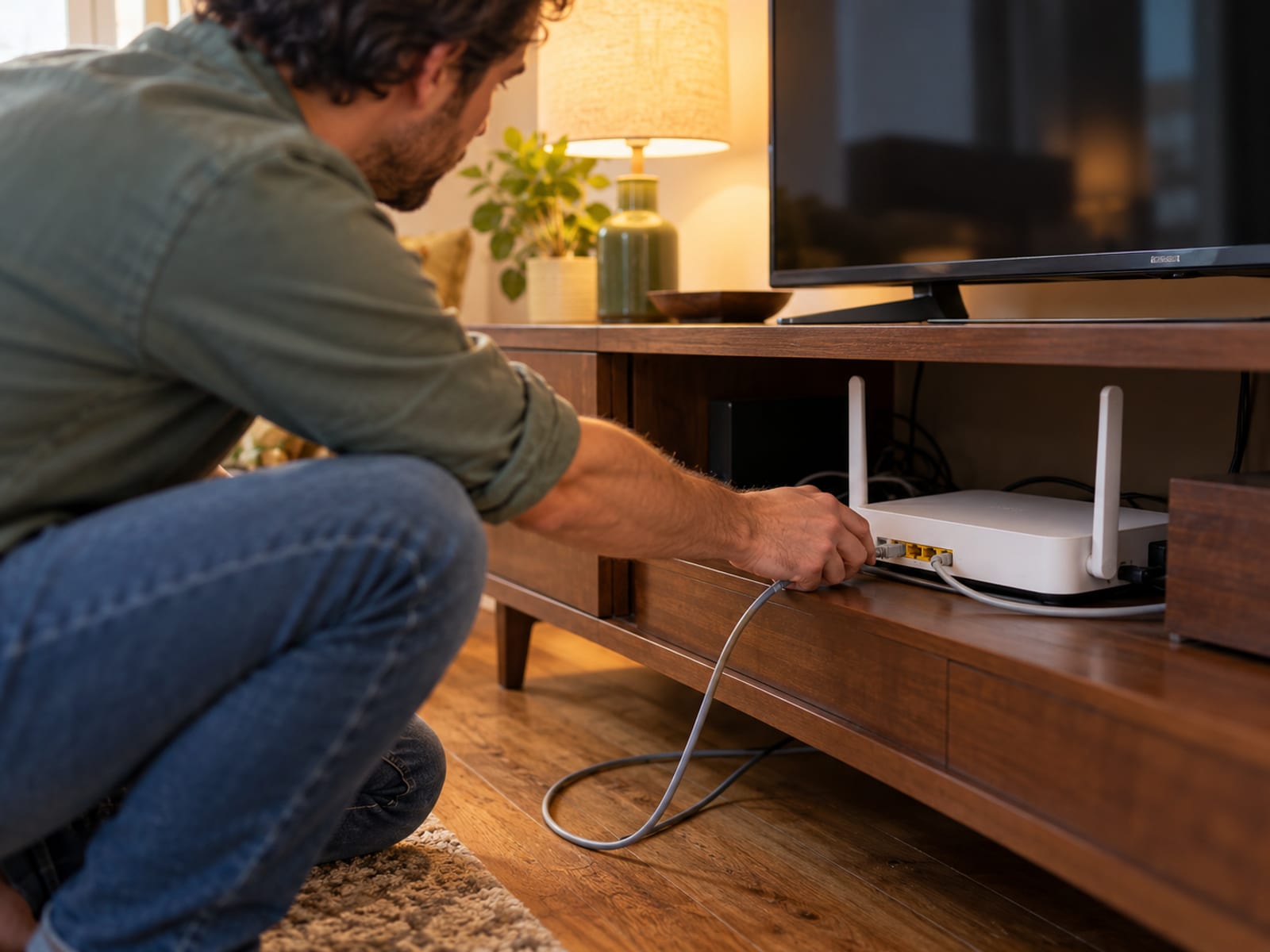
Flashing third-party firmware can add features, but it adds model compatibility and recovery steps. The router must support the firmware version, and a mistake can interrupt network access. Confirm the exact hardware revision and supported firmware before changing anything.
Pre-configured routers add a ready-made interface and network-level coverage for devices that cannot run apps. FlashRouters says its routers can cover smart TVs, consoles, and IoT devices. Its Privacy Hero includes one year of Privacy Hero WireGuard service, with renewal listed as $9.99 monthly or $49 annually. It also supports NordVPN's NordLynx after you sign in, but your VPN credentials are not entered before shipment. Prices checked October 29, 2026.
ExpressVPN's Aircove routers are no longer sold. Existing Aircove owners can continue using them, with security-update support listed through 2027 for Aircove and 2028 for Aircove Go. Fortify is the current ExpressVPN hardware offering, with the stated $199.99 MSRP and 12 months of Advanced for eligible customers.
The Tradeoffs: Speed, Streaming, Apps And Local Devices
A router VPN encrypts the connection between the router and the VPN provider, and it changes the IP address websites see. It does not automatically encrypt local traffic between devices and the router, and it does not protect Bluetooth connections. Accounts, cookies, pixels, GPS data, and browser fingerprints can still identify a person.
Encryption uses router processing resources. Proton says weaker routers may experience slower speeds. Actual performance depends on the router, protocol, VPN server, ISP, distance, and household traffic. WireGuard often appears in current router specifications because it is designed for efficient operation, but the router and provider must support it together.
Server switching is usually less convenient on a router than in an app. Proton says changing a router VPN location requires updating the router configuration. App features may not carry over either. Proton identifies NetShield and split tunneling as features that may not be available through a router connection.
Streaming, banking, gaming, and local services may reject VPN addresses or require the normal local IP. A router-wide connection can affect every device at once. Use per-device rules, device groups, VLAN rules, or policy-based routes when the router supports them. ASUS can assign selected devices through VPN Fusion, UniFi can route a device or domain, and Firewalla can direct a device or traffic type.
If Netflix shows its VPN or proxy message, work through the Netflix proxy error fixes. For a device that needs its own app, compare a router connection with separate apps in VPN on your router or your devices.
Legal, Subscription And Service-Term Limits
A VPN router does not replace a streaming subscription, and it does not grant permission to bypass account, copyright, licensing, or access restrictions. ExpressVPN says Aircove did not include Netflix, HBO, Hulu, Prime Video, or other streaming subscriptions.
Use the VPN only for activities allowed by the law where you live and by the terms of the service you access. Check the law applicable to your location before using a VPN for a particular service, and read the provider's terms. For state-specific questions, check VPN Laws by State: Age Verification and What Is Legal.
Router VPN Or Separate Device Apps: Which Fits Your Home
A router VPN fits a home with several devices that cannot install apps and should share one VPN location. It also centralizes setup, which can be easier for a TV, console, or streaming box. The tradeoff is that server changes and app-level controls are less convenient.

Separate device apps fit you better when different people need different locations, when you need split tunneling inside an app, or when banking and streaming services frequently need the ordinary connection. Apps also make it easier to pause the VPN on one device without changing the rest of the home.
A conditional pick is straightforward. Choose the GL.iNet Flint 2 if published VPN throughput is the deciding factor. Choose the ASUS RT-AX88U Pro if you want Wi-Fi and clear selected-device routing. Choose supported TP-Link Deco for mesh coverage, UniFi for policy-based network control, or Firewalla for detailed outbound rules with separate Wi-Fi hardware.
Before paying, confirm the exact router model, supported firmware, VPN throughput, Wi-Fi requirements, subscription plan, upfront total, renewal total, return policy, refund eligibility, and billing channel. Record the terms shown at checkout.
Frequently asked questions
Answering these questions starts with the exact model and firmware, because VPN-client support can differ within one product family.
Which routers have an inbuilt VPN?
Examples with documented VPN-client support include ASUS routers with VPN Fusion, supported TP-Link Deco and Archer models, GL.iNet Flint 2, supported UniFi gateways, and Firewalla boxes. Support depends on the exact model and firmware.
Can a router have a built-in VPN?
Yes. A router can include a VPN client in its firmware and connect to a commercial VPN service. It still needs compatible provider credentials or configuration files unless it is a provider-branded router with its own service.
Which router is best for using with a VPN?
The best fit depends on speed, Wi-Fi coverage, device rules, and protocol support. Flint 2 has the clearest published throughput figures, ASUS offers device-level VPN Fusion controls, and Firewalla and UniFi provide detailed routing controls.
Is it worth having a VPN on your router?
It is useful when TVs, consoles, and other devices cannot run VPN apps. The tradeoffs are router processing overhead, less convenient server switching, and fewer app-level features.
Which routers support VPN clients?
Look for “VPN Client,” “OpenVPN Client,” or “WireGuard Client” in the exact model's documentation. “VPN Server” alone means the router accepts incoming connections and does not prove that it can connect outward to a commercial VPN.
Can I set up a VPN directly on my router?
Yes, if the router supports the provider's protocol and configuration files. Proton supports OpenVPN or WireGuard clients, while NordVPN says a potential router configuration requires OpenVPN client support.
What is the best VPN router for home use in 2026?
A documented shortlist includes ASUS RT-AX88U Pro, supported TP-Link Deco systems, GL.iNet Flint 2, supported UniFi gateways, and Firewalla. Select among them based on whether your priority is Wi-Fi, mesh coverage, published VPN throughput, or advanced routing.
How do I tell if my router has a VPN?
Search the exact model's manual or specifications for “VPN Client.” Do not treat “VPN Server,” “remote VPN access,” or “OpenVPN server” as proof that the router can connect to a commercial VPN.
Does a router VPN cover a smart TV or game console?
Yes, a router VPN can cover devices that connect through the router without requiring an app on each device. The router must support the provider's protocol, and the device may need to be assigned to the VPN through a device rule.
Does a router VPN change what websites can identify?
It changes the IP address websites see and encrypts the connection between the router and the VPN provider. Accounts, cookies, pixels, GPS data, and device fingerprints can still identify a person.
Do router VPNs work with every streaming service?
No. Streaming services may reject VPN addresses or require the normal local IP. A router does not include a valid streaming subscription, so check the service's terms and use per-device routing where supported.
Can I use Proton VPN Free on a router?
Proton VPN says router connections work on all plans, including Proton Free, when the router supports OpenVPN or WireGuard. Proton Free costs $0, supports one device at a time, and provides randomly selected servers in 10 countries. Prices checked October 29, 2026.
Glossary
Find more VPN guides on Tunnel Verdict. Have a question about your own setup? Contact us and include your device and the VPN you use.